Token Avatar Upload
Preface
Tokens created on BSC, ETH, or other EVM chains are essentially smart contracts with no predefined "avatar" or "logo" fields in the contract code. Therefore, all the various token icons we see in wallets and decentralized exchanges (DEXs) are independently added and displayed by different platforms (such as blockchain explorers, wallets, CoinMarketCap, etc.) for user experience. This means that to give your token a unique avatar, you need to actively and individually submit applications to these platforms.
It is important to note that token avatars cannot be synchronized to all platforms with a single contract modification—you need to apply for updates on mainstream platforms.
Upload Methods
- Method One: Upload via mainstream blockchain explorers (Official/Free)
- Method Two: Upload via DEX aggregation platforms like Dexscreener (Third-party/Paid - Efficient and Affordable)
- Method Three: Upload via wallet platforms (Higher fees/Complex process)
Below we introduce the avatar upload methods for several platforms.
ETH Chain Token Avatar Upload
- Please log in here to your Etherscan account. If you don't have an account, register here first.
- After logging in, copy and paste your token contract address into the search bar.
- Click on the token you created.
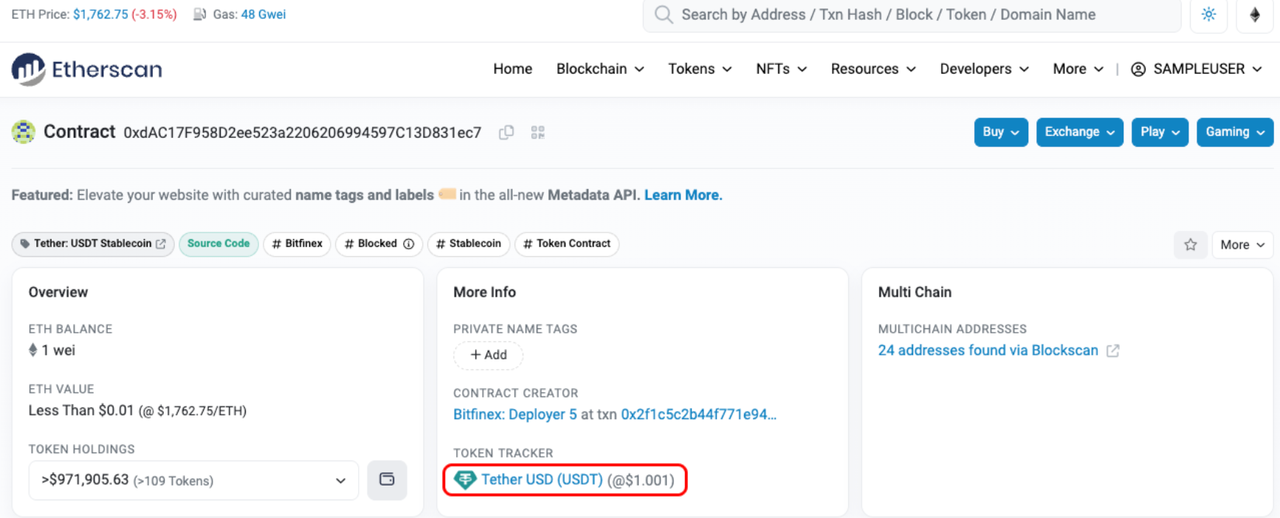
Etherscan upload avatar
After entering the token page, select the "More" button on the right and click "Update Token Info" to update the token information.
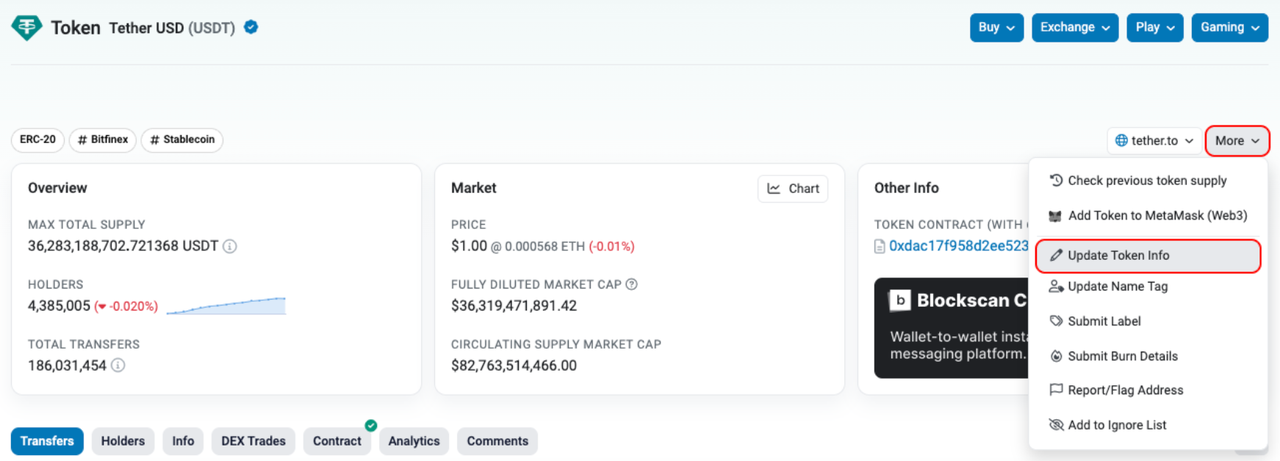
Etherscan upload avatar
Tron Token Avatar Upload
Go to Tronscan, enter the token's contract address, and navigate to the token information page.
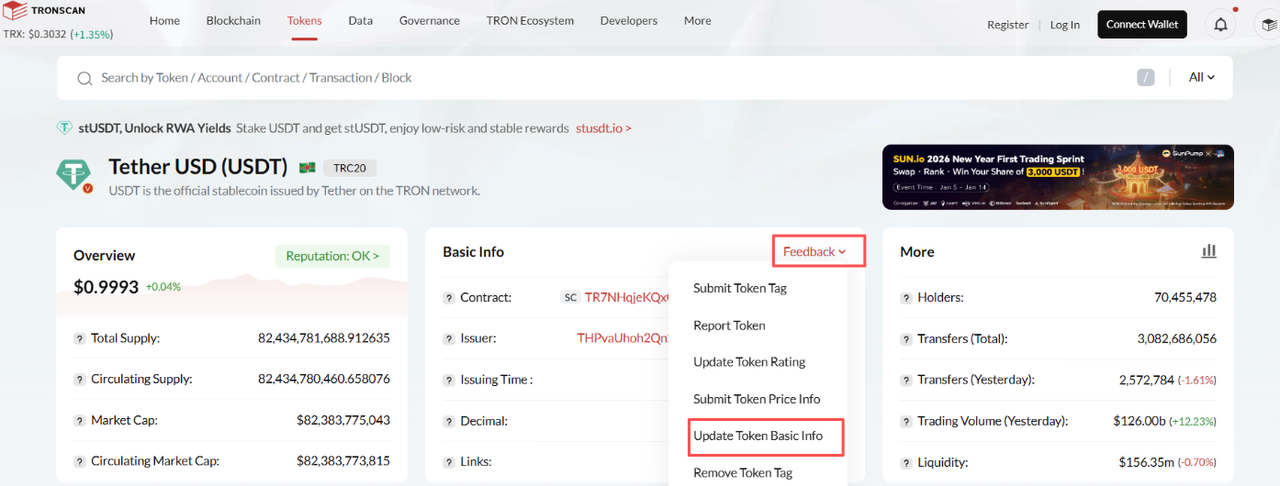
Tronscan upload avatar
Connect the corresponding wallet address
Connect the wallet address associated with the token issuer. Select your preferred connection method, then click "Connect".
Note: The connected address must be the admin address you used to create the token.
Update Token Information
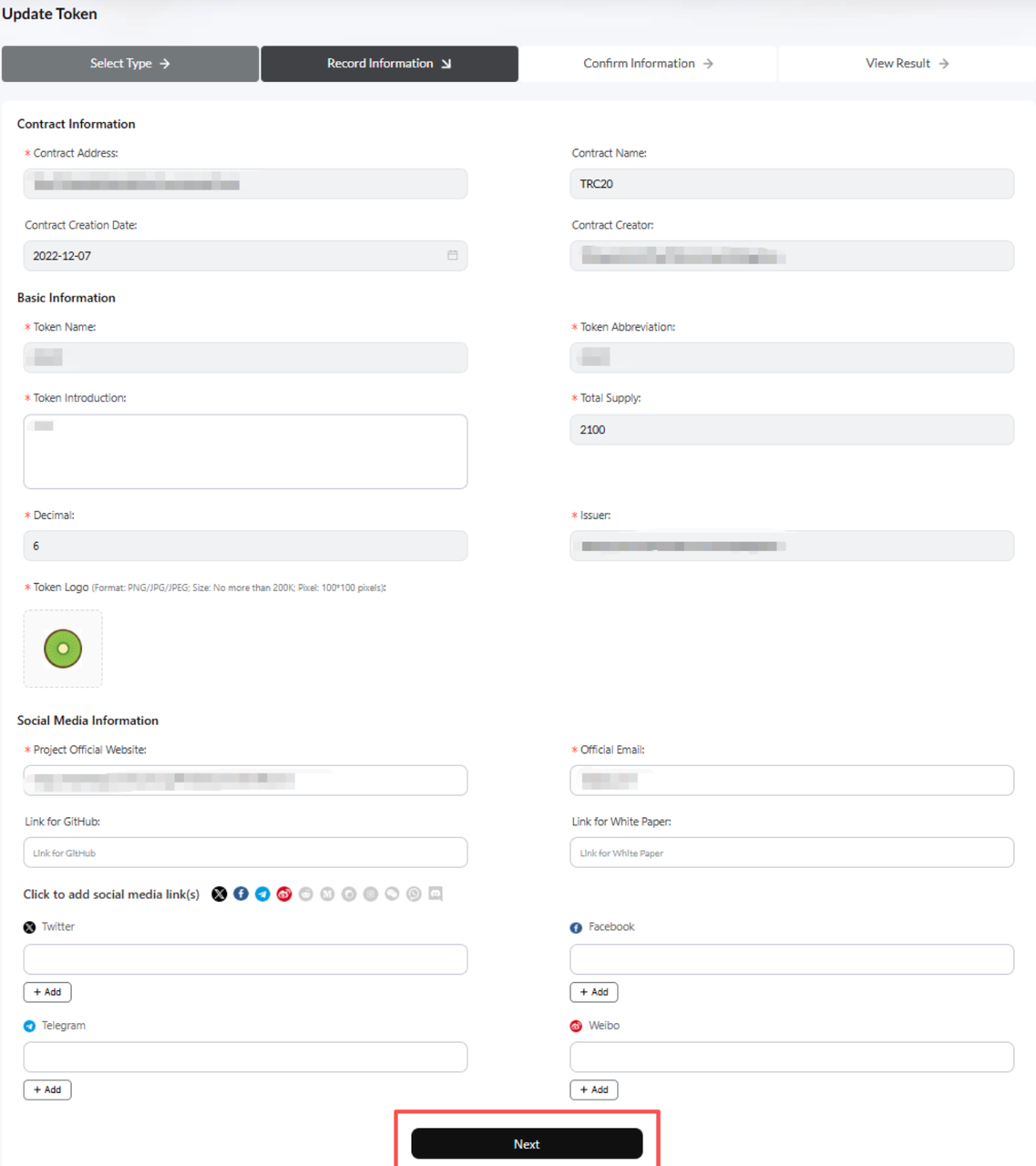
Tronscan upload avatar
After filling in the relevant information, wait for approval.
DEX Screener Token Avatar Upload - Fastest
DEX Screener token avatar upload is suitable for most MEME tokens and also applies to multi-chain tokens. After updating on DEX Screener, major DEXes will gradually sync the token information.
Note: DEX Screener token information update is paid, requiring a fee of $299.
Enter DEX Screener update token info page: https://marketplace.dexscreener.com/product/token-info
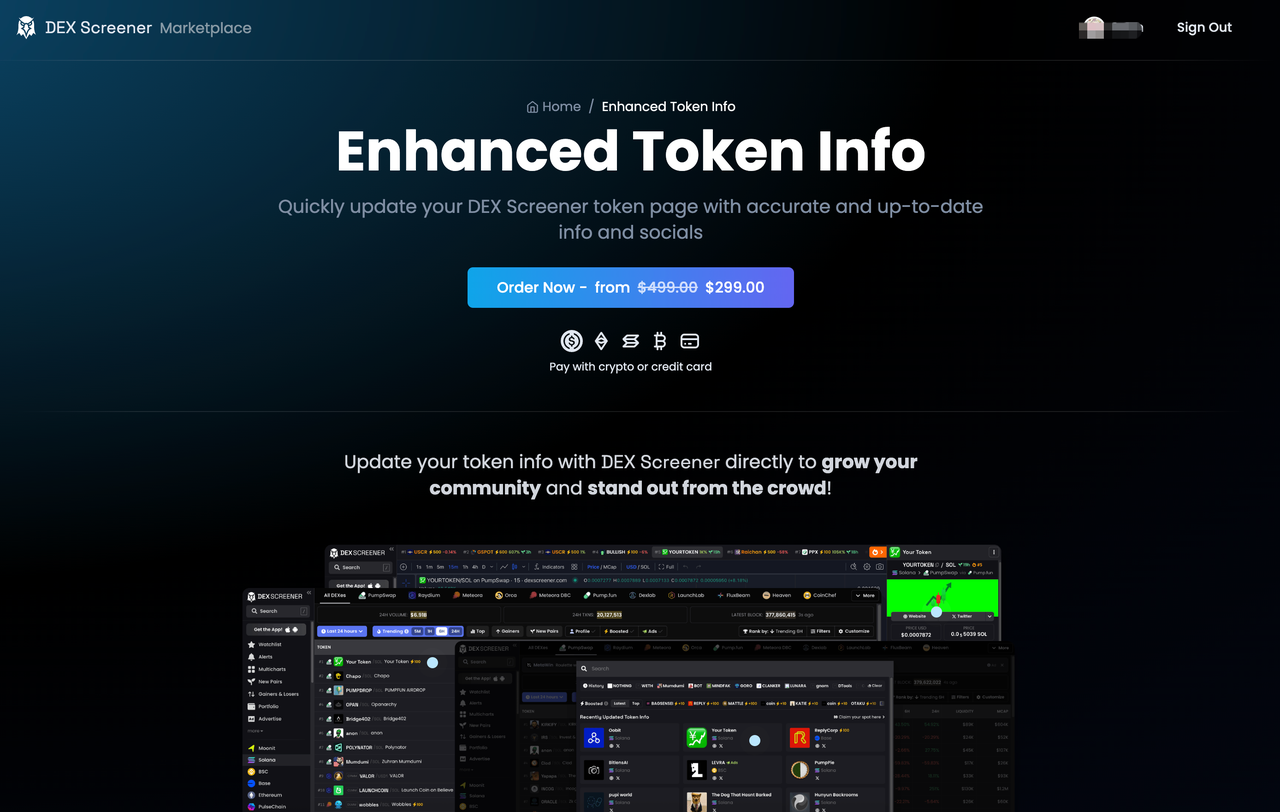
DEX Screener upload avatar
Click "Order Now" to enter the update token information interface.
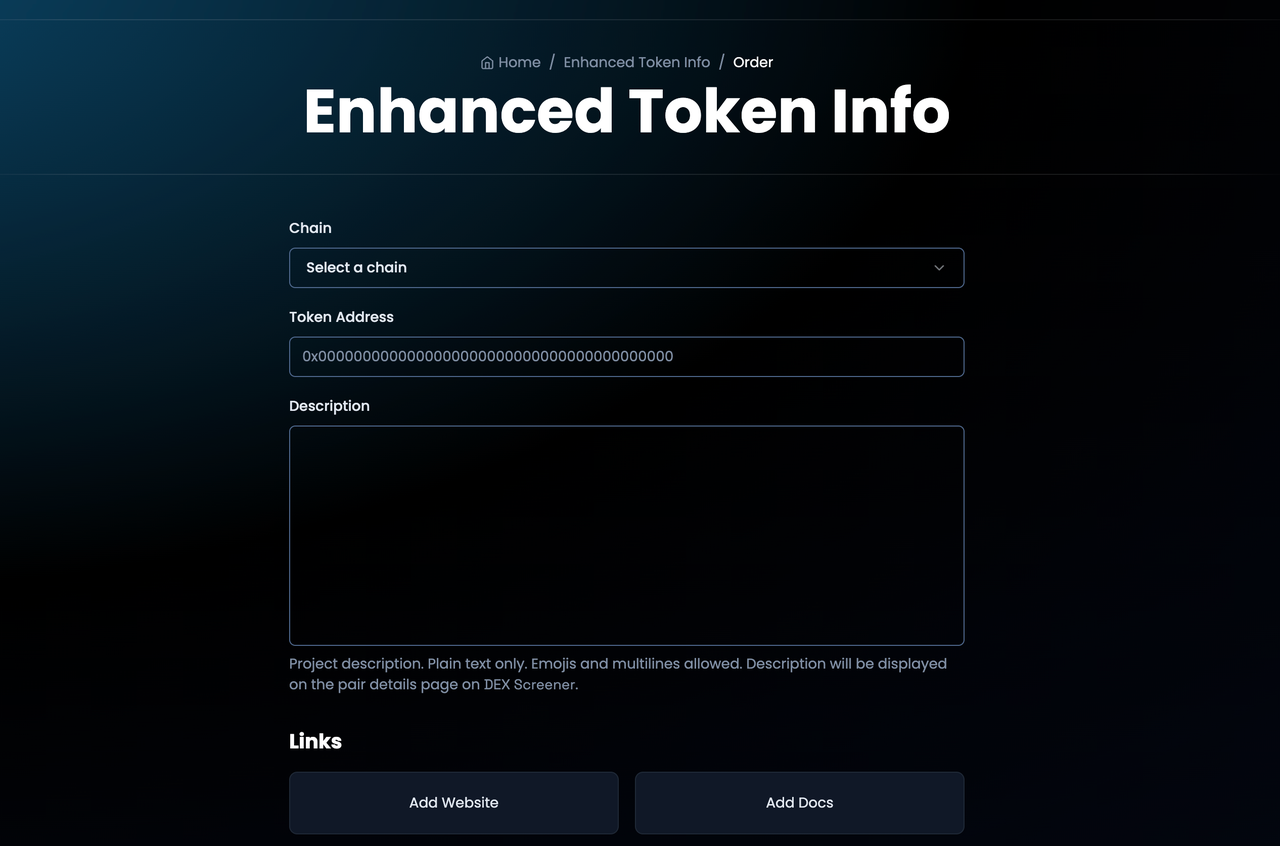
DEX Screener upload avatar
TokenPocket Wallet Upload
Go to the TokenPocket wallet submission page: https://www.tokenpocket.pro/en/submit/token
Fill in the relevant information and click "Apply".
Note: TokenPocket requires a donation of 1000 USDT or USDC to submit a token logo.
For the specific donation process, please refer to the official documentation: https://help.tokenpocket.pro/en/developer/submit-logo

TokenPocket upload avatar
Other Platforms
In addition to the above methods, there are other platforms such as imToken wallet or AVE platform. If you need to upload an avatar, please contact their official customer service.
Caution: Most third-party methods for uploading avatars are likely scams! Please be careful!
For more information about CPBOX and its features,
You can visit https://docs.cpbox.io/
Or if you have suggestions or development needs,
You can find us through the contact information at the bottom of the homepage https://www.cpbox.io/
【Other Social Media】
TG Group: https://t.me/cpboxio
Twitter: https://twitter.com/Web3CryptoBox
Youtube: https://youtube.com/channel/UCDcg1zMH4CHTfuwUpGSU-wA